The Problem: AI Agents and Inconsistent UI
If you’ve ever asked an AI coding assistant like Claude, Cursor, or GitHub Copilot to build a UI, you’ve probably experienced the frustration of inconsistent results. One prompt generates a page with blue buttons, another creates orange accents, and a third produces something that looks like it was designed by committee. The AI has no memory of your design preferences, no understanding of your brand, and no way to maintain visual consistency across sessions.
This is where DESIGN.md comes in — a revolutionary concept introduced by Google Stitch that’s changing how AI agents understand and implement design.
What is DESIGN.md?
DESIGN.md is a plain-text design system document that AI agents read to generate consistent UI. It’s just a markdown file — no Figma exports, no JSON schemas, no special tooling required. Drop it into your project root and any AI coding agent instantly understands how your UI should look and feel.
Think of it like this:
| File | Who reads it | What it defines |
|---|---|---|
AGENTS.md | Coding agents | How to build the project |
DESIGN.md | Design agents | How the project should look and feel |
Markdown is the format LLMs read best, so there’s nothing to parse or configure. The AI simply reads the file and applies the design tokens, typography rules, and component specifications to every UI it generates.
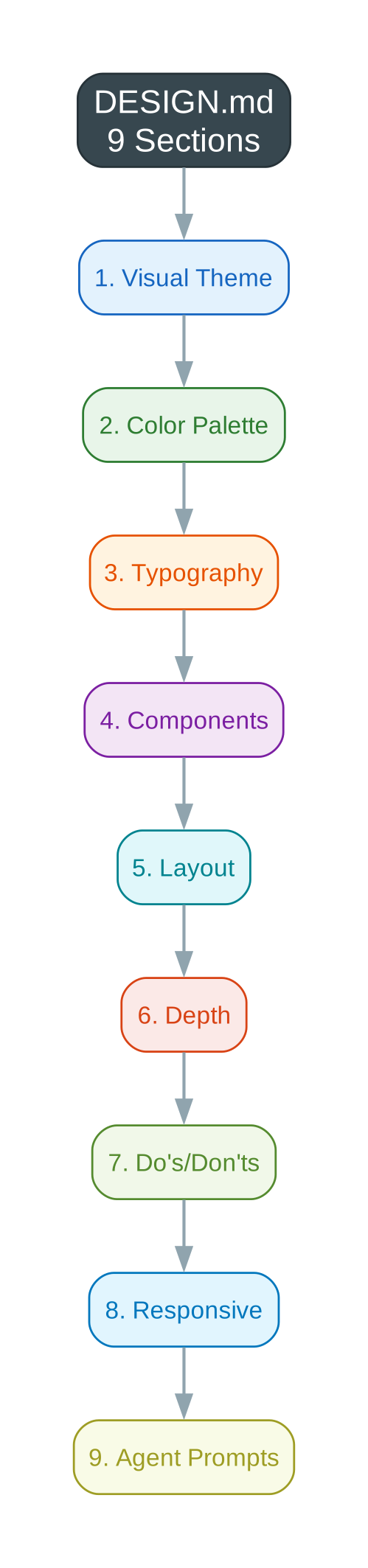
The 9-Section Format
Every DESIGN.md follows a standardized format that captures everything an AI agent needs to know about your design system:
1. Visual Theme & Atmosphere
Defines the overall mood, density, and design philosophy. Is your brand warm and approachable like Airbnb, or cold and precise like Vercel? This section sets the emotional tone.
2. Color Palette & Roles
Every color has a semantic name, hex value, and functional role. Instead of “use blue,” you specify “Link Blue (#0072f5) for primary links” or “Terracotta Brand (#c96442) for CTAs.”
3. Typography Rules
Complete font families, size scales, weight hierarchies, and line-height specifications. From display headlines at 64px to micro labels at 9px, every text element is defined.
4. Component Stylings
Buttons, cards, inputs, navigation — each component gets detailed specifications including padding, radius, shadows, and state variations (hover, focus, active).
5. Layout Principles
Spacing scales, grid systems, container widths, and whitespace philosophy. This ensures consistent rhythm across all generated layouts.
6. Depth & Elevation
Shadow systems and surface hierarchy. From flat elements to elevated cards, this section defines how depth is communicated visually.
7. Do’s and Don’ts
Design guardrails and anti-patterns. Critical rules like “Don’t use cool blue-grays anywhere” or “Always use shadow-as-border instead of CSS border.”
8. Responsive Behavior
Breakpoints, touch targets, and collapsing strategies. How should the design adapt from desktop to mobile?
9. Agent Prompt Guide
Ready-to-use prompts and quick color references. This section helps developers communicate effectively with AI agents using the design system’s vocabulary.
Example Design Systems
The VoltAgent/awesome-design-md repository contains 58+ ready-to-use design systems from major brands. Here are some highlights:
Claude (Anthropic)
A literary salon reimagined as a product page — warm parchment tones, custom Anthropic Serif typeface, and terracotta accents. The design radiates human warmth with exclusively warm-toned neutrals.
Key characteristics:
- Warm parchment canvas (#f5f4ed) evoking premium paper
- Terracotta brand accent (#c96442) — deliberately un-tech
- Ring-based shadow system creating border-like depth
- Magazine-like pacing with generous section spacing
Vercel
Developer infrastructure made invisible — a design system so restrained it borders on philosophical. The Geist font family uses aggressive negative letter-spacing (-2.4px to -2.88px at display sizes), creating headlines that feel compressed and engineered.
Key characteristics:
- Shadow-as-border technique:
box-shadow: 0px 0px 0px 1pxreplaces traditional borders - Multi-layer shadow stacks for nuanced depth
- Near-pure white canvas with #171717 text
- Workflow-specific accent colors: Ship Red, Preview Pink, Develop Blue
VoltAgent
A void-black canvas with emerald accent, designed for AI agent frameworks. Terminal-native aesthetics with precise, developer-focused components.
How to Use DESIGN.md
Getting started is remarkably simple:
Step 1: Copy a DESIGN.md
Browse the awesome-design-md collection and choose a design system that matches your brand aesthetic. Copy the DESIGN.md file into your project root.
Step 2: Tell Your AI Agent
When you ask your AI coding assistant to build UI, include a reference to the design file:
"Using the DESIGN.md file in this project, create a landing page with..."
Or simply:
"Build a dashboard following the design system in DESIGN.md"
Step 3: Get Consistent Results
The AI agent reads the design tokens, typography rules, and component specifications, then generates UI that matches your chosen aesthetic — every time, across every session.
Why DESIGN.md Matters
No Figma Exports
Traditional design systems require exporting tokens from design tools, converting them to code, and maintaining synchronization between design files and implementation. DESIGN.md skips all of that — it’s the design system, written in plain text.
No JSON Schemas
Design tokens in JSON format require parsing, tooling, and translation layers. Markdown is what LLMs read natively. There’s no abstraction layer between your design system and the AI’s understanding.
No Special Tooling
DESIGN.md works with any AI coding agent — Claude, Cursor, GitHub Copilot, or Google Stitch. No plugins, no integrations, no configuration files.
58+ Ready-to-Use Systems
Instead of building a design system from scratch, you can start with proven systems from brands like Apple, Stripe, Airbnb, and Vercel. Each DESIGN.md is extracted from real websites with accurate color values, typography specifications, and component details.
The Collection
The awesome-design-md repository includes design systems across multiple categories:
AI & Machine Learning: Claude, Cohere, ElevenLabs, Minimax, Mistral AI, Ollama, Replicate, RunwayML, Together AI, VoltAgent, xAI
Developer Tools & Platforms: Cursor, Expo, Linear, Lovable, Mintlify, PostHog, Raycast, Resend, Sentry, Supabase, Superhuman, Vercel, Warp, Zapier
Infrastructure & Cloud: ClickHouse, Composio, HashiCorp, MongoDB, Sanity, Stripe
Design & Productivity: Airtable, Cal.com, Clay, Figma, Framer, Intercom, Miro, Notion, Pinterest, Webflow
Fintech & Crypto: Coinbase, Kraken, Revolut, Wise
Enterprise & Consumer: Airbnb, Apple, IBM, NVIDIA, SpaceX, Spotify, Uber
Car Brands: BMW, Ferrari, Lamborghini, Renault, Tesla
Visual Overview
Here’s how the DESIGN.md concept works:

The 9-section format provides comprehensive design specifications:
And the workflow is simple: copy, prompt, and get consistent UI:

Getting Started
-
Explore the collection: Visit awesome-design-md and browse the available design systems.
-
Choose your aesthetic: Pick a DESIGN.md that matches your brand’s personality — warm and approachable (Claude), precise and minimal (Vercel), or bold and technical (VoltAgent).
-
Copy and customize: Drop the file into your project root. Optionally customize colors, typography, or components to match your exact needs.
-
Build with AI: Reference DESIGN.md in your prompts and watch as AI agents generate consistent, pixel-perfect UI that matches your chosen design system.
Conclusion
DESIGN.md represents a paradigm shift in how we communicate design intent to AI systems. Instead of hoping the AI understands our aesthetic preferences, we provide explicit, structured specifications in a format it reads natively. The result is consistent, professional UI generation without the overhead of traditional design token systems.
With 58+ ready-to-use design systems from major brands, you can start building beautiful, consistent interfaces today — no Figma exports, no JSON schemas, just markdown.
For more AI-powered development tools and tutorials, follow PyShine.


