Claude Code Skills Guide - Build Reusable AI Workflows
Skills are reusable, filesystem-based capabilities that extend Claude’s functionality. They package domain-specific expertise, workflows, and best practices into discoverable components.
What Are Skills?
Skills transform general-purpose Claude into a specialist for your domain. Unlike one-off prompts, skills:
- Load on-demand when relevant
- Eliminate repetition across conversations
- Compose together for complex workflows
- Scale across teams via version control
Skills Workflow Overview
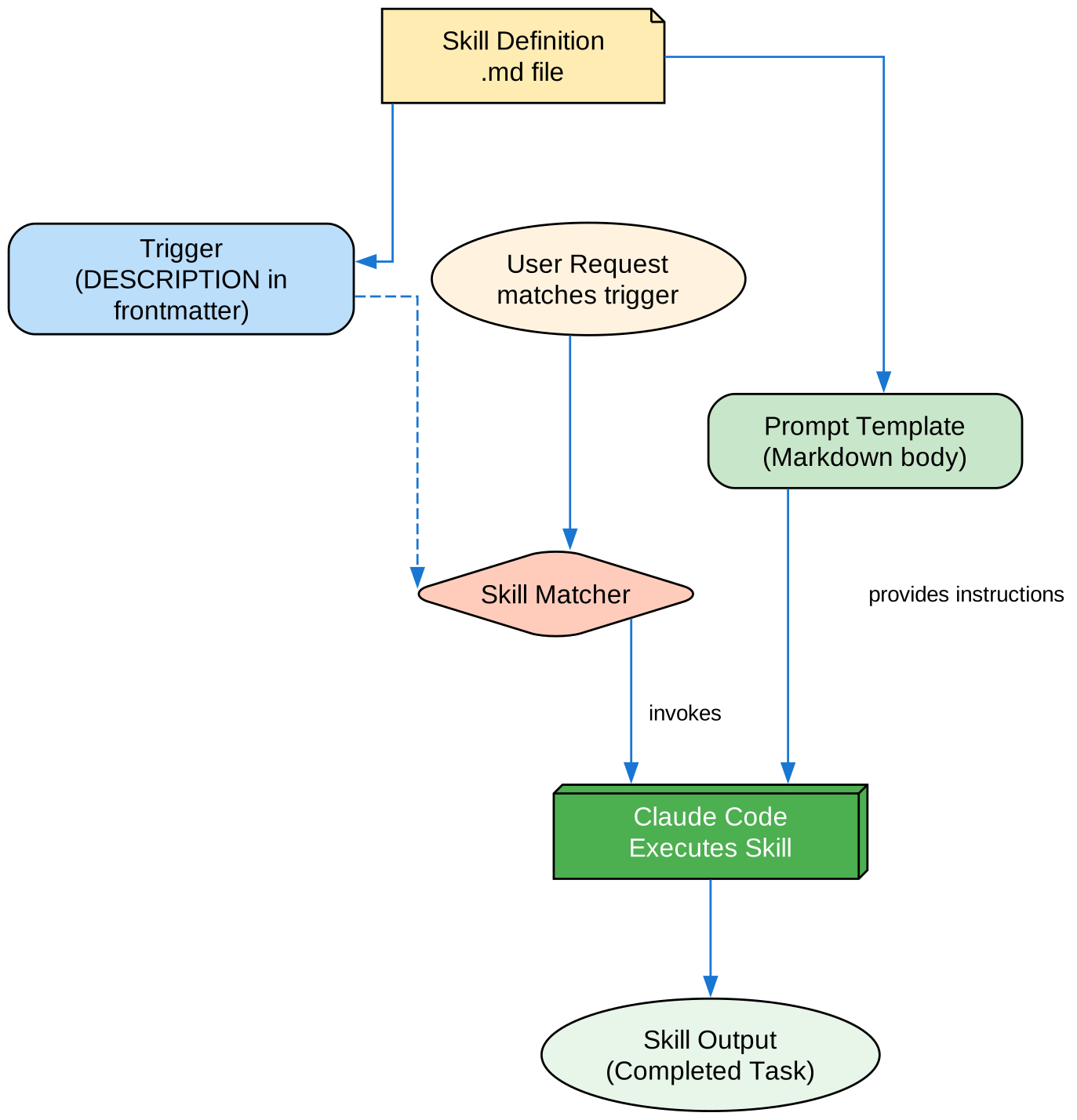
The diagram shows how skill definitions with triggers and prompt templates are matched against user requests, then invoked by Claude Code to complete tasks.
How Skills Work: Progressive Disclosure
Skills use a three-level loading system for efficiency:
| Level | When Loaded | Token Cost | Content |
|---|---|---|---|
| Level 1 | Always (startup) | ~100 tokens | Name + description |
| Level 2 | When triggered | Under 5k tokens | Instructions |
| Level 3 | As needed | Unlimited | Scripts, templates |
This means you can install many skills without context penalty.
Skill Types & Locations
| Type | Location | Scope | Best For |
|---|---|---|---|
| Personal | ~/.claude/skills/ | Individual | Personal workflows |
| Project | .claude/skills/ | Team | Team standards |
| Plugin | <plugin>/skills/ | Where enabled | Bundled with plugins |
Creating a Skill
Basic Structure
my-skill/
├── SKILL.md           # Main instructions (required)
├── template.md        # Template for output
├── examples/
│   └── sample.md      # Example output
└── scripts/
    └── validate.sh    # Script to execute
SKILL.md Format
---
name: your-skill-name
description: What this skill does AND when to use it
---

# Your Skill Name

## Instructions
Provide clear, step-by-step guidance for Claude.

## Examples
Show concrete examples of using this skill.
Frontmatter Reference
Required Fields
| Field | Description |
|---|---|
name | Lowercase letters, numbers, hyphens (max 64 chars) |
description | What the skill does AND when to use it (max 1024 chars) |
Optional Fields
| Field | Description |
|---|---|
argument-hint | Hint for autocomplete (e.g., "[filename] [format]") |
disable-model-invocation | Only user can invoke via /name |
user-invocable | Hide from / menu if false |
allowed-tools | Tools the skill can use without permission |
model | Model override (opus, sonnet, haiku) |
effort | Effort level (low, medium, high, max) |
context | Set to fork for isolated subagent |
agent | Subagent type with context: fork |
hooks | Skill-scoped hooks |
Skill Content Types
Reference Content
Adds knowledge Claude applies to current work:
---
name: api-conventions
description: API design patterns for this codebase
---

When writing API endpoints:
- Use RESTful naming conventions
- Return consistent error formats
- Include request validation
Task Content
Guides Claude through a specific workflow:
---
name: code-review
description: Comprehensive code review. Use when reviewing PRs or changes.
allowed-tools: Read, Grep, Glob
---

# Code Review Process

1. Analyze code structure and patterns
2. Check for security vulnerabilities
3. Verify test coverage
4. Review documentation
5. Provide actionable feedback
Example Skills
Code Review Skill
---
name: code-review
description: Comprehensive code review for quality and security
allowed-tools: Read, Grep, Glob, Bash(npm test)
---

# Code Review

## Security Check
- SQL injection vulnerabilities
- XSS vulnerabilities
- Authentication issues
- Sensitive data exposure

## Quality Check
- Code complexity
- Test coverage
- Documentation
- Error handling

## Output Format
Provide a structured review with:
1. Summary
2. Critical issues
3. Suggestions
4. Positive observations
Test Generator Skill
---
name: test-generator
description: Generate comprehensive tests for code
allowed-tools: Read, Write, Bash(npm test)
---

# Test Generation

1. Analyze the code structure
2. Identify test cases
3. Generate unit tests
4. Generate integration tests
5. Run tests to verify
Documentation Skill
---
name: doc-generator
description: Generate documentation from code
allowed-tools: Read, Write
---

# Documentation Generator

## For Functions
- Description
- Parameters
- Return value
- Examples

## For Classes
- Purpose
- Properties
- Methods
- Usage examples
Dynamic Context with Shell Commands
Execute bash commands before the prompt:
---
name: commit
description: Create git commit with context
allowed-tools: Bash(git *)
---

## Context

- Current status: !`git status`
- Current diff: !`git diff HEAD`
- Current branch: !`git branch --show-current`

## Task

Create a commit with an appropriate message.
File References
Include file contents using @:
Review the implementation in @src/utils/helpers.js
Compare @src/old-version.js with @src/new-version.js
Running Skills in Isolation
Use context: fork to run in a subagent:
---
name: deep-analysis
description: Deep codebase analysis
context: fork
agent: Explore
---

Analyze the entire codebase structure and provide:
1. Architecture overview
2. Key components
3. Dependencies
4. Potential improvements
Best Practices
| Do | Don’t |
|---|---|
| Write clear descriptions | Create skills for one-time tasks |
| Include trigger conditions | Build overly complex skills |
| Use allowed-tools for safety | Hardcode sensitive information |
| Test with simple inputs | Skip documentation |
Installation
# Create skills directory
mkdir -p .claude/skills

# Copy skill files
cp -r skills/* .claude/skills/

# Verify installation
claude
> /help